Upload a photo
Choose a JPEG, PNG or WebP image up to 10 MB.
 StylMorph.
Upload a portrait, a pet or a favorite object and get a clean coloring page back: black outlines on a white background with the subject clearly recognizable. Preview the result, download it and print it for coloring.
Checking guest allowance…
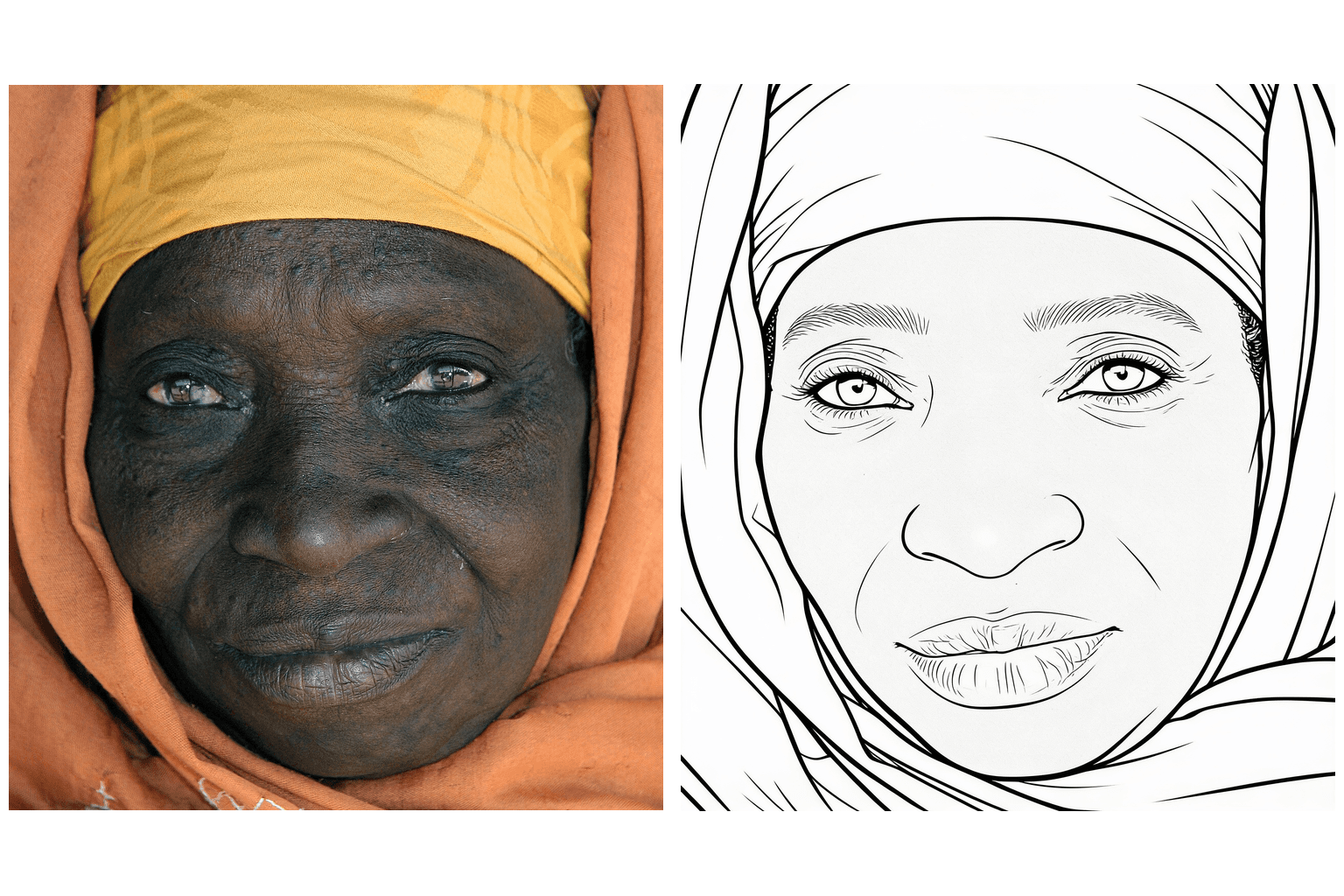
OriginalResultA coloring page is not a grayscale filter. StylMorph redraws your photo as clean black outlines on a pure white background, with closed regions you can actually fill in using crayons, markers or pencils. The result is meant to be printed and colored by hand.
Choose a JPEG, PNG or WebP image up to 10 MB.
Start the transformation and keep this page open while it runs.
Compare the original photo with the outlined coloring page.
Coloring pages depend on edges and silhouettes. A portrait with visible facial features, a pet photographed against a simple background, or an object with a strong shape gives the model clear structure. Very dark photos, tiny subjects and cluttered backgrounds can still be converted, but the outlines may merge or lose detail.
Print coloring pages of family members, pets or favorite things for kids’ activities, classroom material, party favors or relaxation. Uploaded originals and generated results expire automatically after 24 hours, so download each coloring page you want to keep.
The photo is redrawn as black outlines on a pure white background, with closed regions you can color in. It is not a grayscale or sketch filter, and the result is designed to be printed.
Portraits, pets and objects with a clear subject, visible edges and simple backgrounds convert most reliably. Busy scenes may produce outlines that are harder to color.
StylMorph asks the model to preserve identity, pose and expression, but it cannot guarantee an exact likeness. Compare Original and Result before downloading.
You can print the results for personal use such as activities, classrooms and parties. Generated artwork may require review before professional or commercial use.
No. Guest transformations are available without signup, and the current remaining allowance is shown beside the Transform button.
Uploaded originals and generated results expire automatically after 24 hours. Download any coloring page you want to keep before its link expires.