Upload a photo
Choose a JPEG, PNG or WebP image up to 10 MB.
 StylMorph.
Turn a portrait or everyday scene into cartoon art with photo to cartoon AI. Choose smooth cel color, bold graphic shapes or a warm storybook treatment—no design skills or signup required.
One free image per guest identity, shared across image tools. Additional images require purchased credits.
Seedream 4.5 Edit + NanoBanana Pro Edit. Same image, same fixed style; no custom prompt. Free trials and gift credits cannot be used for comparison.
Checking guest allowance…
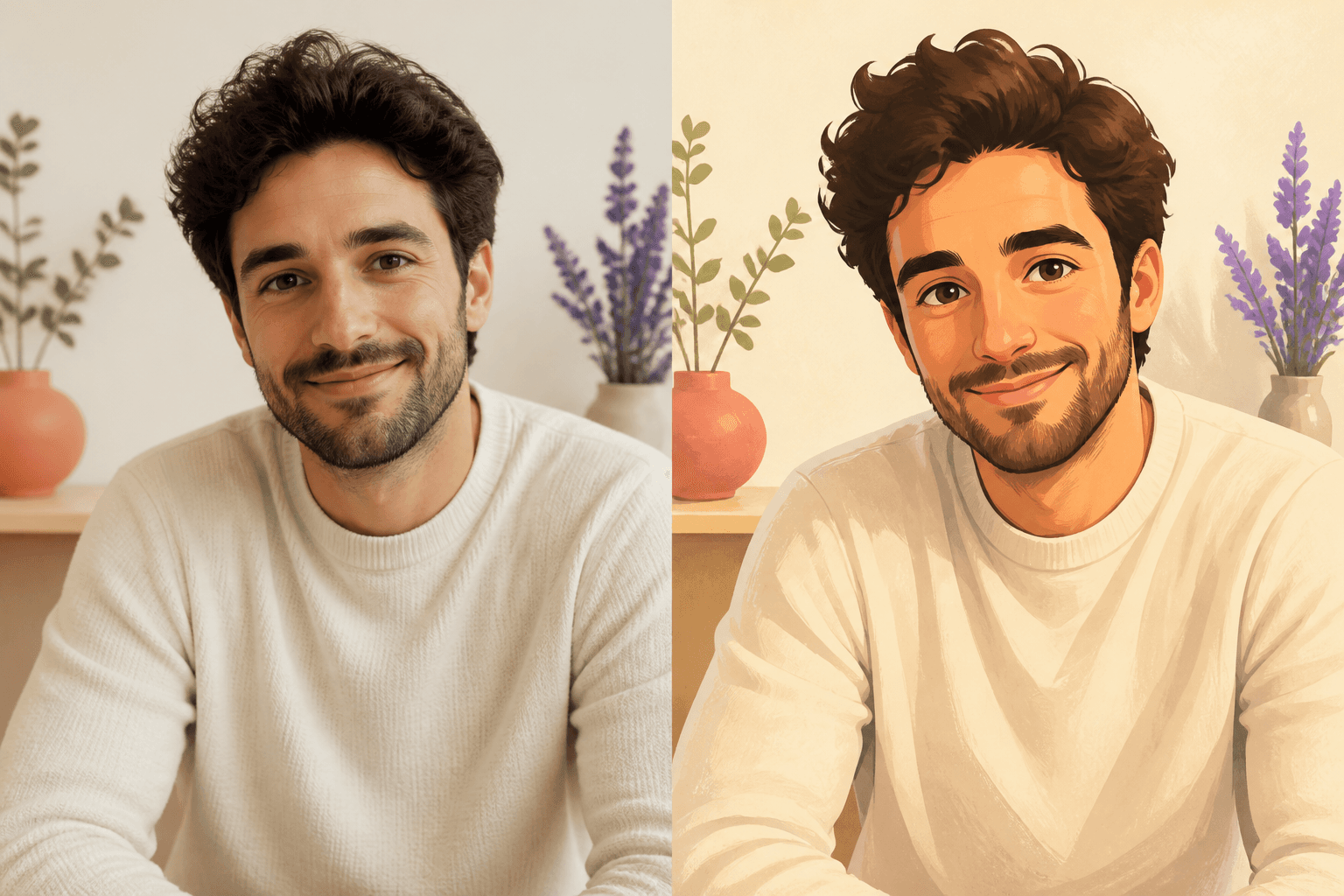
OriginalResultThis photo cartoonizer redraws the source with color blocks, simplified forms and illustrated texture. The three available directions stay separate from the ink-heavy comic filter, making this page a better fit when color and a softer character are the main goal.
Choose a JPEG, PNG or WebP image up to 10 MB.
Compare Soft Cel, Graphic Shapes and Storybook Color.
Start the transformation and keep this page open while it runs.
A clear face, pet, object or everyday scene gives the cartoonizer enough shape and color to reinterpret. Natural light and a visible subject usually produce a more understandable relationship to the original. Very small faces, heavy blur and crowded backgrounds can reduce recognizable detail when the image is simplified into cel shading or graphic color planes.
Cartoon results can work as profile images, personal posts, creative references or a fresh interpretation of a favorite scene. Soft Cel is the smoothest direction, Graphic Shapes feels bolder and more modern, and Storybook Color adds painterly warmth. Review the result before using it where exact identity, product detail or brand accuracy is important.
It uses an image model to redraw the uploaded source with the selected cartoon treatment. The model is asked to preserve the subject, pose and composition, but the illustrated result will vary.
Yes. StylMorph can work with portraits, pets, objects and everyday scenes. A clear subject and usable lighting usually provide a stronger source for the transformation.
Choose Soft Cel for smooth shading, Graphic Shapes for simplified bold color, or Storybook Color for a warmer painterly finish. The cards compare all three on one consistent portrait.
No. It transforms the complete uploaded image rather than building a configurable avatar. You can still use a suitable portrait result as a profile image after reviewing it.
No. Guest transformations are available without signup, and the page displays the current remaining allowance before you generate.
Uploaded originals and generated cartoon results expire automatically after 24 hours. Download any result you want to keep before the link expires.