Upload a photo
Choose a JPEG, PNG or WebP image up to 10 MB.
 StylMorph.
Turn a photo into cinematic game-poster art. Choose an open-world, neon future-city or pixel-art treatment while keeping the original available for comparison.
One free image per guest identity, shared across image tools. Additional images require purchased credits.
Seedream 4.5 Edit + NanoBanana Pro Edit. Same image, same fixed style; no custom prompt. Free trials and gift credits cannot be used for comparison.
Checking guest allowance…
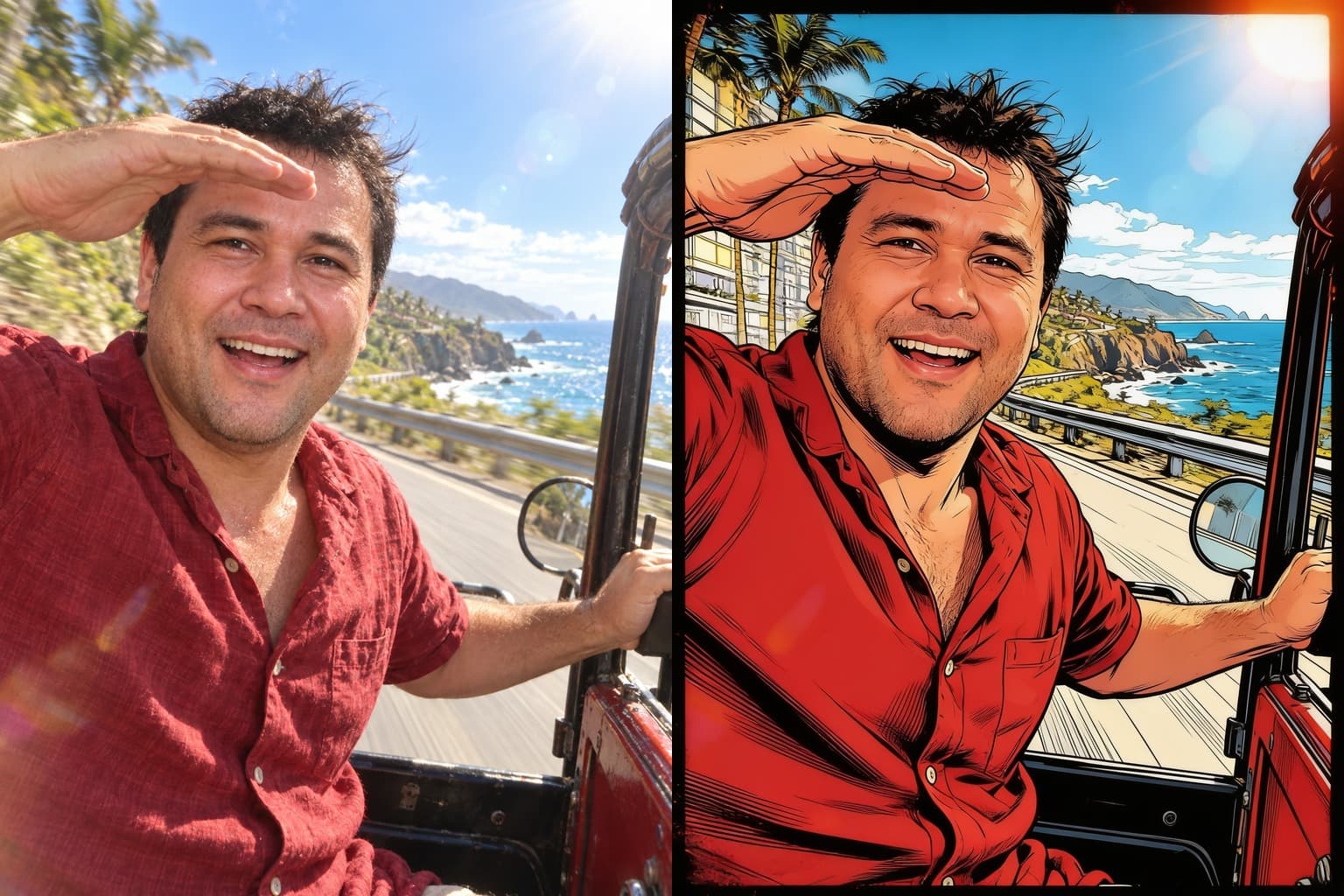
OriginalResultA game art filter redraws the source with illustrated light, cinematic framing and genre-specific color. These three original, unbranded directions cover a modern open world game poster style, a future-city night and a deliberately pixel-built adventure.
Choose a JPEG, PNG or WebP image up to 10 MB.
Compare Open-World Poster, Neon District and Pixel Quest.
Start the transformation and keep this page open while it runs.
Portraits, vehicles, pets and street scenes with readable light and a distinct subject give the model useful structure. Motion blur, tiny faces and crowded backgrounds can produce less predictable details after the scene is redrawn.
Every treatment is an original visual direction rather than an official game asset or branded character. The model is asked to preserve the subject, pose and framing, but results vary. Compare Original and Result before downloading.
It uses an image model to redraw your source with illustrated game-poster cues such as cinematic light, bold silhouettes or intentional pixel detail. Each result can vary.
Choose Open-World Poster for sunlit cinematic scale, Neon District for future-city night color, or Pixel Quest for a deliberately retro pixel-art result.
No. The presets use original, unbranded game-art directions and do not add official logos, characters, interfaces or maps from a named franchise.
StylMorph asks the model to preserve the subject, pose and composition, but it cannot guarantee an exact likeness or every background detail. Compare both views before downloading.
No. Guest transformations are available without signup, and the remaining allowance is shown beside the Transform button.
Uploaded originals and generated results expire automatically after 24 hours. Download a result you want to keep before its link expires.