Start with smooth midtones
Look at the wall or fabric first. Grain is easier to see there than in hair, foliage, or an already textured surface.
 StylMorph.
Add fine monochrome grain to a photo, control its intensity, and compare it with the original before saving a full-size PNG.
Add film grain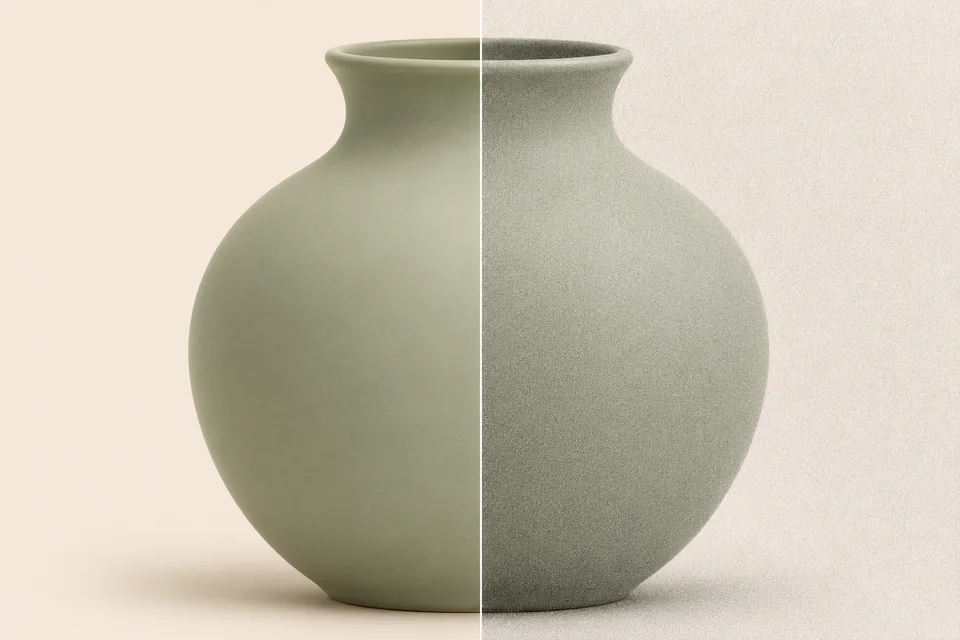
JPG, PNG or WebP · up to 10 MiB and 24 megapixels
Free · processed in your browser
Opening image…
Your preview will appear here.
Look at the wall or fabric first. Grain is easier to see there than in hair, foliage, or an already textured surface.
Raise the intensity until the texture is visible, then inspect eyes, skin, and any lettering. Lower it if the small details become harder to read.
Texture looks softer after resizing. Open the downloaded image at the size you plan to use before deciding whether to increase it.
Open a JPG, PNG or WebP or load the sample.
Start low and drag the divider across a smooth area.
Download the finished image at its source dimensions.
The effect adds the same light or dark variation to each color channel, giving the grain a monochrome appearance.
Set Grain intensity to 0 before downloading. Drag the divider to see the original.
Yes. It works on color and grayscale images.
The preview is sized to fit the page. Open the downloaded PNG at 100% to check the grain at full size.
It can increase the file size because fine random texture is harder to compress.
The exported PNG keeps the original pixel dimensions. The on-page preview is scaled to fit.
Choose a JPG, PNG or WebP up to 10 MiB and 24 megapixels.
The tool processes your image in this browser. Your selected file stays on your device.