Let one color carry the shadows
Start with a deep blue or near-black tone. Look at the hair, eyes, and edges of the subject to see whether enough detail remains.
 StylMorph.
Turn a photo into a two-color image. Pick colors for shadows and highlights, compare with the original, and download a full-size PNG.
Make a duotone image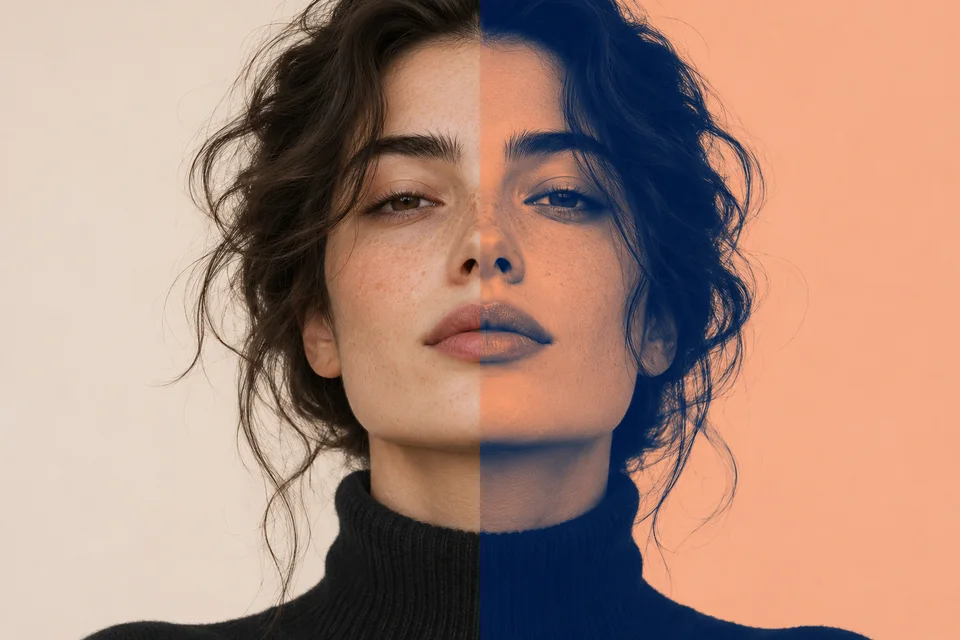
JPG, PNG or WebP · up to 10 MiB and 24 megapixels
Free · processed in your browser
Opening image…
Your preview will appear here.
Start with a deep blue or near-black tone. Look at the hair, eyes, and edges of the subject to see whether enough detail remains.
A lighter peach or cream helps bright areas read clearly. For a poster, try a light color close to the page background.
Note your two HEX values and reuse them on the next photo. Review the finished set together, since each photo starts with a different range of tones.
Choose a file or use the sample portrait.
Use Shadows and Highlights, then drag the divider to compare.
Save the full-size PNG when the contrast feels right.
A duotone maps the darkest and lightest parts of an image to two colors. Middle tones blend between them.
Use the darker of your two colors there to keep the natural relationship between light and dark.
The image has less contrast. Use a lighter highlight or darker shadow to bring back separation.
Yes. Drag the divider or use the arrow keys when the comparison is focused.
Yes. The PNG keeps the original transparency.
The exported PNG keeps the original pixel dimensions. The on-page preview is scaled to fit.
Choose a JPG, PNG or WebP up to 10 MiB and 24 megapixels.
The tool processes your image in this browser. Your selected file stays on your device.