A colorful everyday profile
Give a familiar portrait a bright outline that stays visible at small sizes. Keep the ring narrow enough to leave room for your face.
 StylMorph.
Give your profile photo a rainbow ring or a wash of color. Explore five browser effects, adjust the framing, and download a square or circular PNG for your profile.
Open the free tool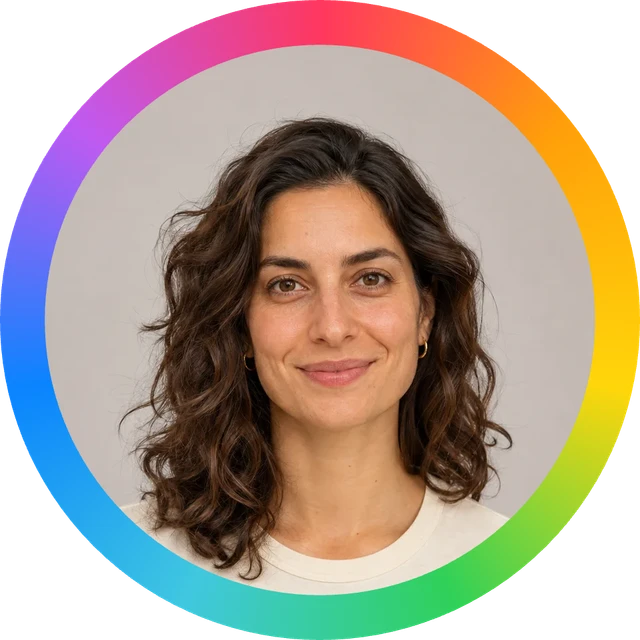
Upload a photo or start with the sample. Adjust it here, then download your PNG.
Add your photo
Drop a PNG, JPG or WebP here
Up to 10 MB · 24 megapixels
Color effects layer over your photo. Circle PNGs have transparent corners.
Opening the sample…
Free · Runs on your device · Your photo stays in this browser
Give a familiar portrait a bright outline that stays visible at small sizes. Keep the ring narrow enough to leave room for your face.
Frame your photo with a rainbow for a Pride event or community profile. Try the crop at avatar size so the portrait and ring both read clearly.
Use the same ring width and similar portrait framing across a club, chat group, or event team to create a shared visual detail.
A centered portrait with a little space around the head gives the circular crop room to work. Check hair and ears near the edge.
Use a face, pet, illustration, or simple logo that remains recognizable when small. Fine text can become difficult to read in a profile picture.
A wider ring makes the color more prominent; a thinner ring gives the portrait more space. Review both at the size people will see.
Open your portrait or avatar in the tool. Image processing takes place in your browser.
Choose a ring, gradient wash, neon glow, pastel tint or prism light. Adjust your crop and check that your face stays clear in the preview.
Export the rainbow PFP as a PNG, then upload that file to the profile or community of your choice.
It adds a rainbow ring or colorful overlay to your photo. Choose from five local effects, adjust the crop, and export a square or circular PNG.
Choose a gradient wash, neon glow, pastel tint, prism light or rainbow ring. These effects color your existing photo; replacing the background with a new AI scene is not included.
This tool processes the selected image in your browser. The photo is not uploaded to make the ring.
The rainbow PFP maker uses no credits. Its five effects, crop controls and PNG export run in your browser.
Yes. Pick any suitable image and check that its subject fits inside the circular crop. Simple shapes and clear faces work well at avatar size.
Use a thin ring when the portrait needs more space. Choose a thicker ring when you want the rainbow to be a stronger visual detail, then check that the face still reads clearly.
A circular avatar removes the square corners of the source image. Choose a photo with more space around the subject if important details sit near those corners.
You can upload the PNG wherever profile image uploads are supported. Each service may apply its own crop, so inspect its profile preview before saving.